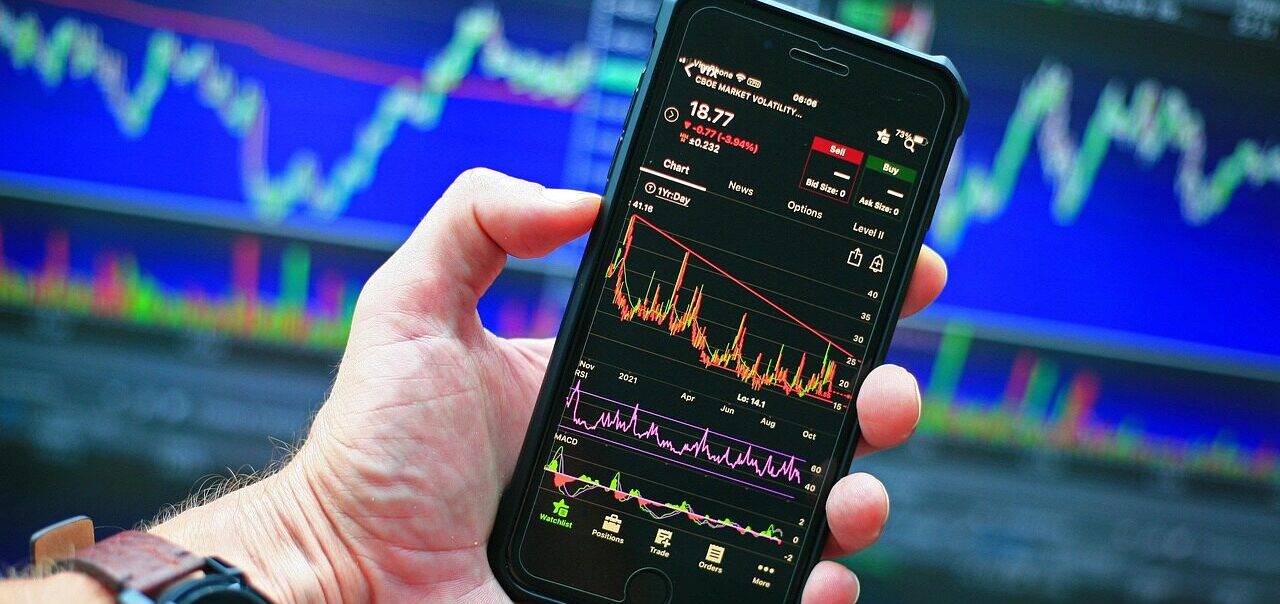
I was 23 and I had no idea what I was doing. I just knew I wanted to predict markets with neural networks, so I read papers and started building.
8 years later I have an autonomous trading agent running on a Raspberry Pi on my desk. It scans markets, builds its own strategies, and paper trades while I sleep. I didn’t write a single layer. I described what I wanted and it exists.
I could barely get 50% accuracy on my old script in 2018.
Today i am getting way higher estimates on the paper trading.
Here is the dilemma: do I share my secrets publicly? This is the dilemma that keeps me from talking about it online because it could be copied easily and would ruin the strategy.
Built in one evening with Claude Code, a hangover, and zero plan.
Saturday evening. Hungover. The kind of state where normal people watch Netflix and eat pizza. And naturally I did those two.
I wanted a cool screensaver. A globe. Maybe some satellites on it. Something to look at while my code compiles.
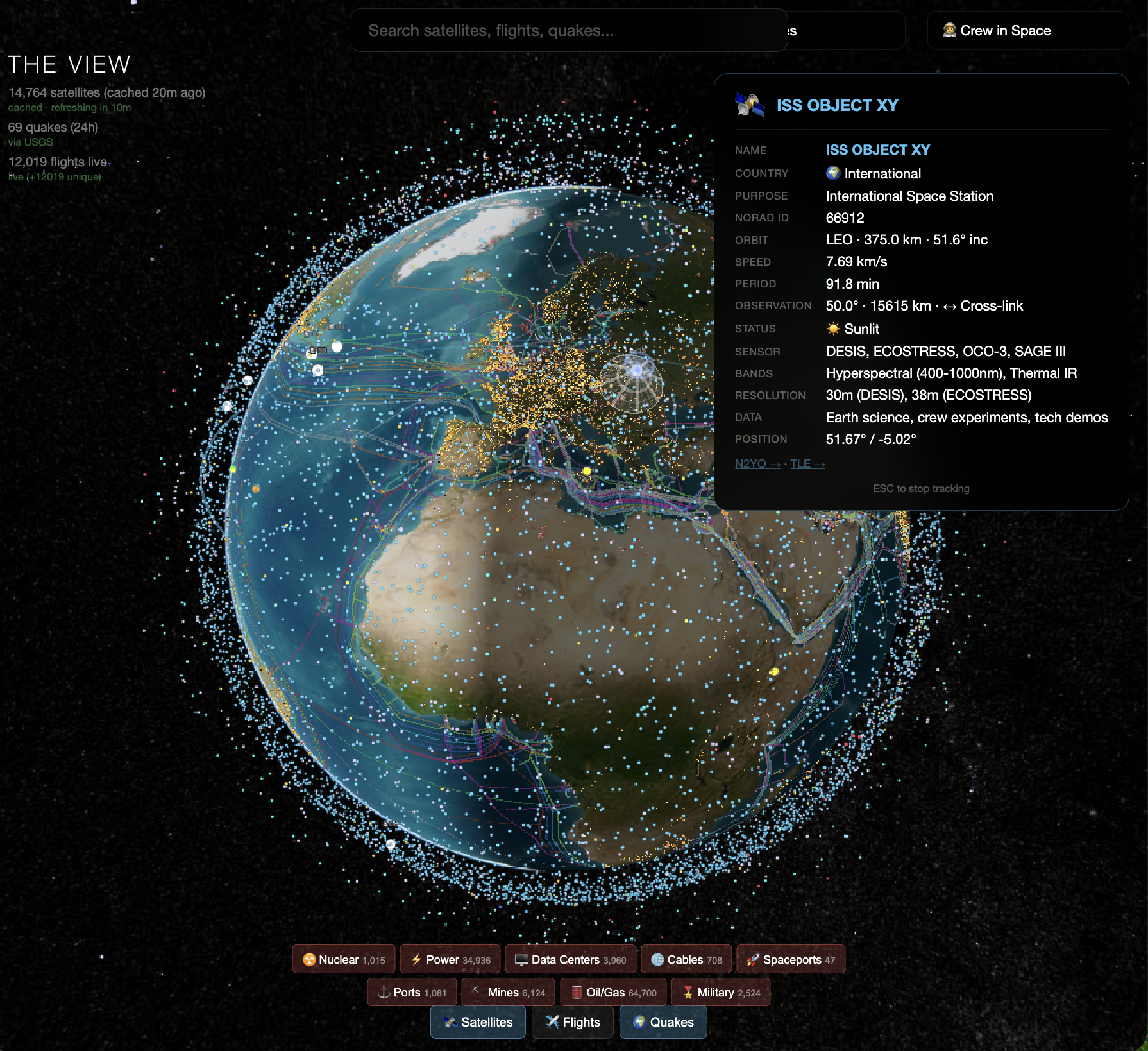
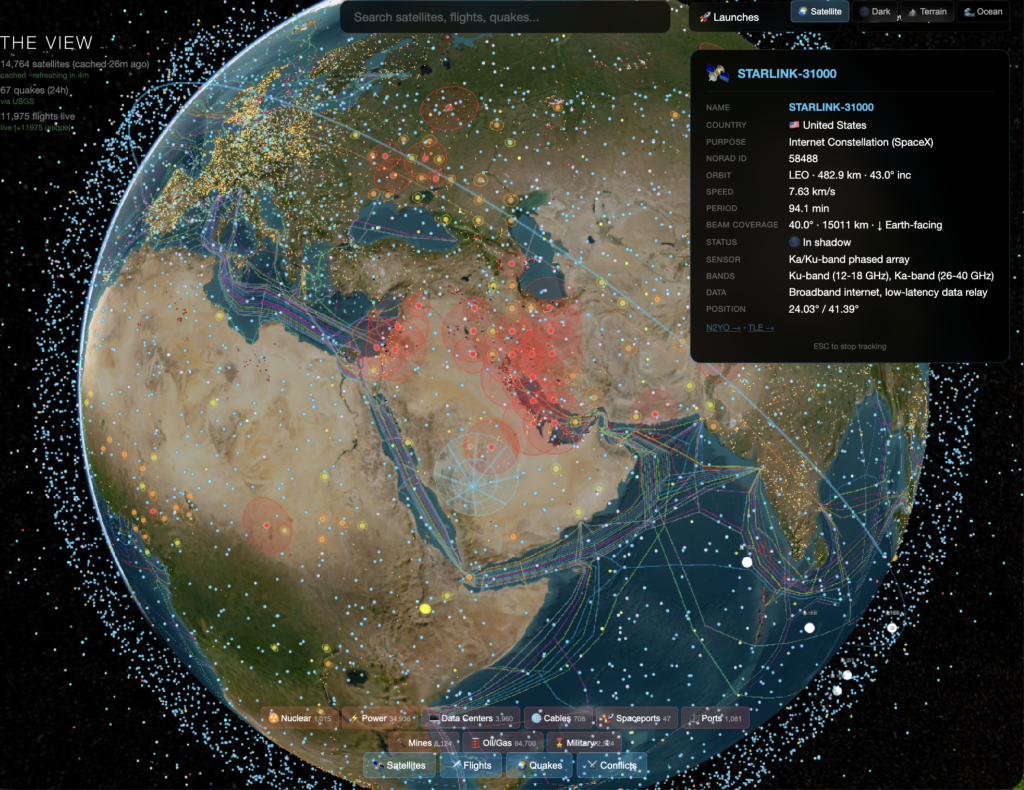
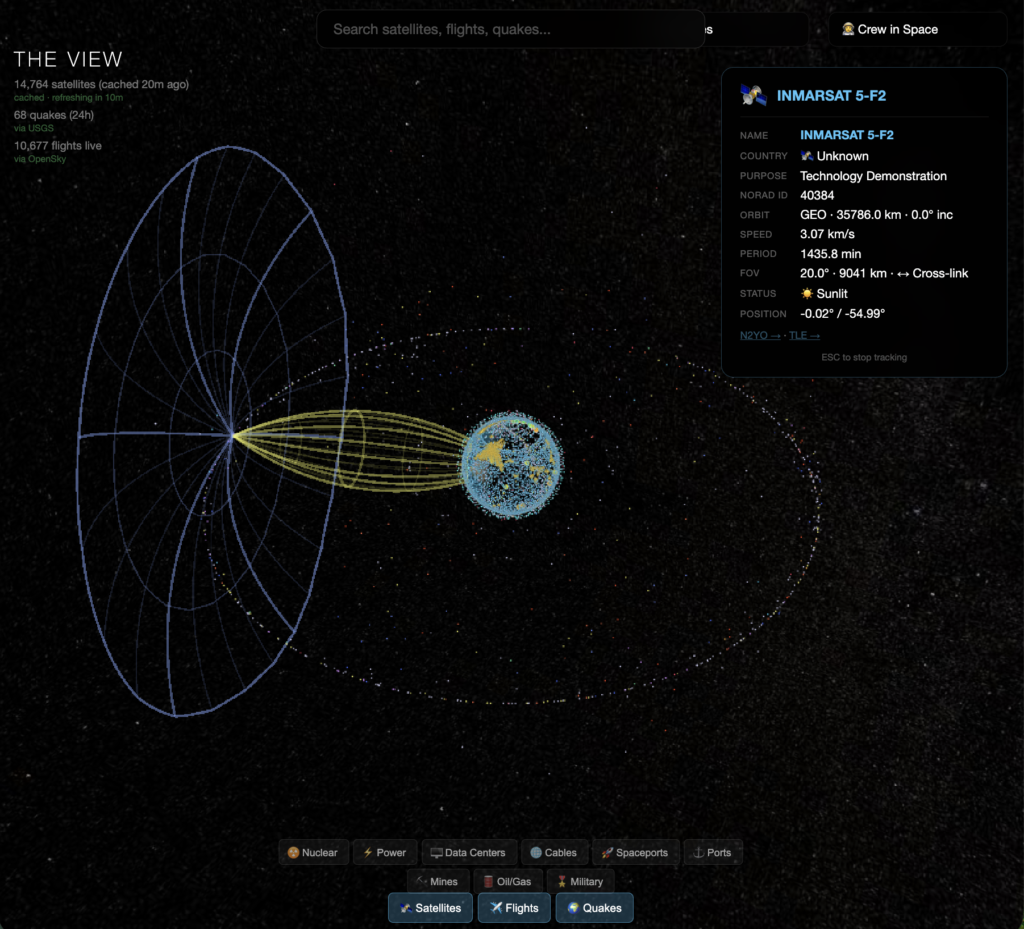
Few hours later I had 14,764 live satellites from CelesTrak, 62 real-time earthquakes from USGS, over 10k+ flights from OpenSky, a conflict heat map, subsea internet cables, nuclear sites, military bases, power grids, data centers, spaceports, ports, mines, and oil fields. All rendered on a 3D globe where I could hover over individual Starlink satellites and see their orbital altitude.
I could see the ISS passing over Europe with its crew listed in the corner like it was nothing.
How it happened:
I’ve been using Claude Code as my primary coding partner for a while now. Not “AI-assisted development” in the LinkedIn people sense. More like I describe what I want, it writes it, I break it, and we fix it together. Things move at maybe 10x the speed of solo development, and that’s a conservative estimate.
The globe started as literally one sentence. “I want a 3D globe with live satellite positions.” Twenty minutes later it worked. Then I said “add flights.” Then “add earthquakes.” Then I realized you could see the Strait of Malacca from the satellite density alone and I kind of lost my mind a little bit.
Each layer took maybe 15 to 30 minutes. Not because I’m some genius. The loop between “what if we added…” and “it’s live” is now measured in minutes, not days. The AI writes the integration, I tell it what looks wrong or what’s broken, it fixes it. The bottleneck isn’t coding anymore. It’s imagination. And honestly that shift still catches me off guard sometimes.
The moment it stopped being a screensaver
I added a topographical view and suddenly the world made sense in a way Google Maps never showed me. The Sahara isn’t a border on a map. It’s a physical wall that shaped every civilization around it. Trade routes aren’t arbitrary lines. They follow geography like water follows gravity. You can see why cities exist where they exist. Why wars happen where they happen.
When I added the conflict layer I could literally see the Iran situation bleeding red across the Gulf while tanker ships crawled through the Strait of Hormuz single-file. Subsea cables carrying Europe’s internet running straight through active war zones. “Geopolitical risk” stopped being an abstract term and became a red glow touching a purple line on my screen.
Then I added FOV projections for satellites and watched an INMARSAT in geostationary orbit project its coverage cone across half the Atlantic. One satellite, 35,000 km up, staring at the same chunk of ocean permanently. Zoom to a Starlink at 550 km and the footprint is tiny, racing across the surface. The architecture of global connectivity, visible in a way I’d never seen before.
I used to stare at my grandfather’s globe for hours as a kid. He understood all these forces through equations and theory. He just couldn’t see them rendered. This felt like building the globe he would have wanted.
What I actually built this with
CesiumJS for the 3D globe. CelesTrak for satellite TLE data. OpenSky Network for live flights. USGS for earthquake data. A bunch of static GeoJSON for infrastructure like cables and bases. ACLED for conflict data. And Claude Code for basically everything else.
No framework. No React. No TypeScript (I personally hate TS). Just HTML, JavaScript, and APIs. The whole thing runs in a browser.
What I learned
I’m not sure yet where this goes. It’s a screensaver that got out of hand. But the thing I keep coming back to is how fast it happened. One person, with an AI coding partner, hungover, in one evening, built something that would have taken a small team weeks to put together. And the only reason it exists is because I had no plan and no pressure. I just kept saying “what if we added…” and it kept working.
That’s the world we’re in now. The tools are free. The APIs are open. The AI writes the glue code. The only bottleneck is whether you have something interesting to point it at.
I’m going to add shipping routes next. Real-time AIS vessel tracking. Because I realized the globe is missing the actual movement of global trade that makes the world economy move. After that, who knows. Whatever sounds fun.
I want to start by stating that this looks exactly like Claude Code. It has the same basic structure, the same memory files, and the same agentic loops. If you’ve seen that architecture, this will feel very familiar.
But here is the reality check on the cost. I’ve spent almost $1,100 in the last two weeks, maybe a little over $1,100 actually. Strictly on API keys and OpenClaw.
That sounds like a huge amount for just “chatting” with AI. But when I actually looked at the breakdown, it started to make sense. I’m essentially hiring a junior developer who works 24/7. But the lesson here is that it is super easy to overspend. You have to always keep track of your context window. If you aren’t paying attention, you can burn $50 in an hour without even realizing it.
The “Wrapper” Problem I’ve been using OpenRouter to switch between models, and honestly, it’s just okay. It’s not the best. For me, it hasn’t been reliable enough to use in production. It adds latency, and sometimes it just fails when I need it to work. If you’re going to do this seriously, you need to set up something proper with a direct connection to Google or Anthropic.
The Models (My Experience) If you are going to use this architecture, you have to use it on good models. Otherwise, it is useless in most cases. You can use lower models for administration, but for the core intelligence, you need the heavy lifters. I tried everything, and there is no way around this. At least not today.
Claude Opus: My favorite. These are my daily drivers. Opus is cold, but I like cold. It is precise. It’s not as dismissive as the other models can be. It doesn’t ignore your question if the context window gets tight or just hallucinate random stuff.
Gemini 3 Pro: If you want Google, this is the floor. Good workhorse can sometimes give random errors with no indications but overall very usable.
Kimi k2.5: It’s okay. Only okay. It’s very functional for automated tools, but talking to it feels like talking to a wall. It’s not a daily driver.
The Real Cost You must be technical if you’re going to go into this. Otherwise, just don’t do it for now. Find a ready deployment with easy limits.
I’ve been building local agents on this stack, and it works because I treat him like a system, not a chatbot. It has my entire operational context loaded, which means he can check my work against my own rules and catch me when I’m about to repeat old mistakes.
That level of consistency is what made the $1,100 worth it. I’m not paying for text generation. I’m paying for “someone” who remembers everything I’ve said, holds me to it, and doesn’t let me drift when things get chaotic. With that said, you must also have the discipline and patience to double-check the AI’s work because many times, it says it “remembers” but it’s just trying to be nice. Frustrating, but also part of the price.
But if you aren’t careful with your usage, you’ll burn through cash and have nothing to show for it. Track everything. Know what you’re spending. And use the smart models when it matters, because the cheap ones will cost you more in wasted time than you save in API fees.
I can’t believe it took me this long to figure this out, but switching from Apple’s Magic Mouse to a Logitech MX Master 3S might be one of the biggest productivity upgrades of my life.
For years I kept using the Magic Mouse out of pure stubbornness. It looked clean next to the keyboard, it matched the Mac aesthetic, and I told myself that was enough. But every time I worked on my Mac, something felt off. Laggy. Sluggish. Like my hands and brain were out of sync. I thought maybe I was just tired or burned out or too used to Windows. Turns out, the problem was the damn mouse.
Just a few days ago, I tried the Logitech one. Instantly everything changed. It’s ridiculous how much faster I work. My bandwidth from brain to computer feels wide open now! Precise, smooth, no friction. My hand doesn’t hurt, windows snap exactly where I want them, and for the first time in years, using my Mac actually feels fast. No more accidental swipe backs or other random unwanted gestures.
It’s wild how something so small can shift the entire experience. Before, every gesture was a micro-frustration. Now, it’s pure flow. The Magic Mouse was design-porn but anti-human. This one simply works.
I’m a junkie for tech! I switch computers, upgrade gear, chase performance but this one change hit different. Because it reminded me how much these little friction points matter. Every tool you use either amplifies your motion or drains it.
It’s not about the mouse. It’s about removing the micro-entropy loops that quietly slow you down. When you fix those, everything else moves cleaner, in business, in creativity, in life.
It’s a small thing, but I believe a lot of small things together become one huge thing. So yeah.
Edit: The MX Master 4 just came out. From what I heard, it’s supposedly much better for editing work in Photoshop, etc, but no matter what, even this version is hands down one of the best productivity mice.